
Site speed affects your rankings through Core Web Vitals, the three metrics Google uses to score real-world experience: loading, response, and visual stability. Magento is slow by default, so most stores fail at least one. The good news is that the fixes that raise your Magento Core Web Vitals are the same ones that speed up your store and lift sales. This guide shows the metrics, where Magento drags, and what to fix first.
Introduction
A slow Magento store loses twice. Shoppers leave before the page loads, and Google pushes you down the results. Both come back to speed. Google now scores every page on real-world experience through Core Web Vitals, and a heavy Magento build often fails on load time and response. This post explains how site speed feeds your rankings, where Magento is slow out of the box, and the site audit plus fixes that raise your Magento Core Web Vitals and your sales at the same time.
What are Core Web Vitals?
Core Web Vitals are three metrics Google uses to measure how a page feels to a real visitor:
- Largest Contentful Paint (LCP): how long the main content takes to show.
- Interaction to Next Paint (INP): how fast the page reacts when someone taps or clicks.
- Cumulative Layout Shift (CLS): how much the page jumps around while it loads.
One note that trips up half the guides online: INP replaced First Input Delay (FID) as a Core Web Vital in March 2024. FID is gone. If an article still talks about First Input Delay, it is out of date.
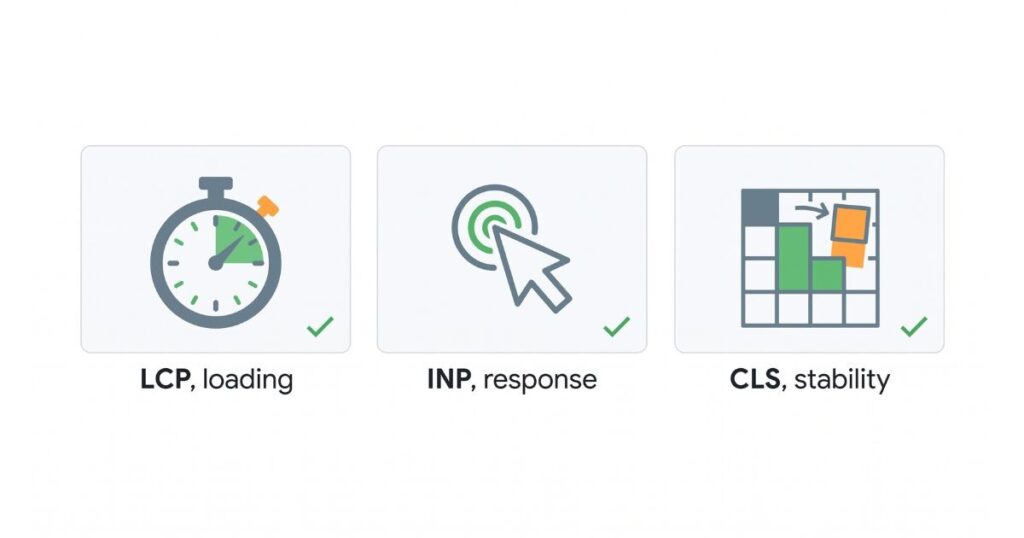
Here are the pass marks Google uses:
| Metric | Good | Needs work | Poor |
| LCP | 2.5s or less | 2.5s to 4s | over 4s |
| INP | 200ms or less | 200ms to 500ms | over 500ms |
| CLS | 0.1 or less | 0.1 to 0.25 | over 0.25 |
You want every page in the “good” band on all three. Google’s own thresholds on web.dev say the same.
Do Core Web Vitals affect search rankings?
Yes, but keep it in proportion. Core Web Vitals are part of Google’s page experience signals. They are a real ranking factor, but a modest one. Content that matches the search still matters most. Where speed earns its keep is as a tie-breaker: when two pages are close in relevance, the faster one tends to win. So Magento Core Web Vitals will not save weak content, but they will decide close races, and there are many close races in e-commerce.
Field data vs lab data: the part that decides your ranking
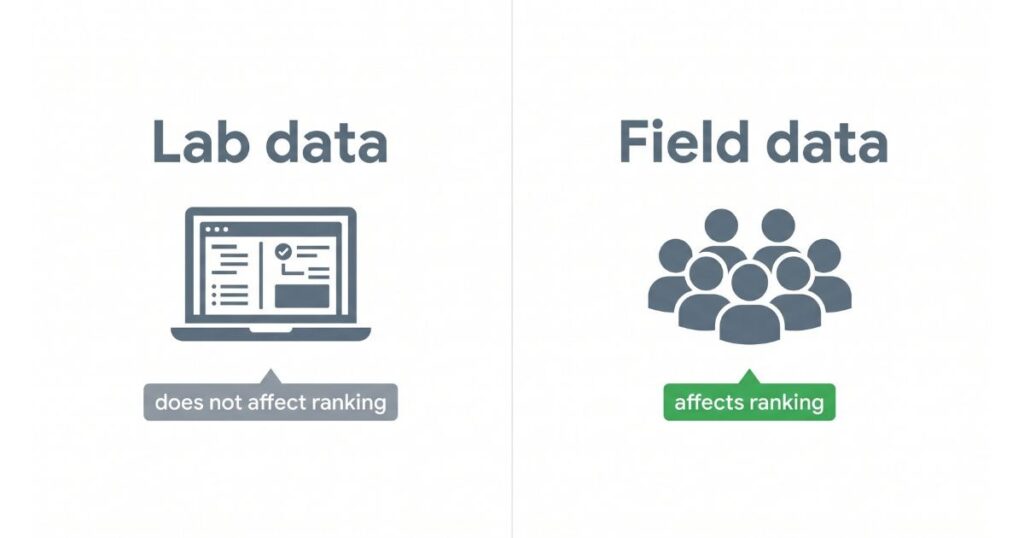
This is where most store owners go wrong, and where the other guides stay silent. There are two kinds of speed scores, and only one affects rankings.
- Lab data: a single test run in a tool like Lighthouse or the lower half of PageSpeed Insights. Useful for debugging. It does not affect your ranking.
- Field data: the scores from real people who visited your site, collected by Google over a rolling 28-day window. This is the data Google uses for ranking. You see it at the top of PageSpeed Insights and in the Core Web Vitals report in Search Console.
So a store can score green in Lighthouse and still fail in Google’s eyes, because real visitors on real phones and networks have a slower experience. Always check the field data first. If you only chase the lab score, you can spend weeks fixing the wrong thing.
Where Magento is slow by default
Magento is powerful, and that power comes with weight. Common reasons a Magento store fails Core Web Vitals:
- Heavy JavaScript. The default Luma theme loads large scripts that block the main thread and hurt INP.
- Full page cache not set to Varnish. Without it, pages are rebuilt on every visit, which pushes up load time.
- Large product images. Uncompressed images are the top cause of a slow LCP on product pages.
- Layered navigation and big catalogues. Filters and large category pages slow the server response.
- Third-party extensions. A single badly built extension can drag down the whole store.
None of this is a flaw you cannot fix. It is the default state, and it stays until someone tunes it.
How to improve Largest Contentful Paint on a Magento store
LCP is usually your product or banner image. To speed it up:
- Turn on the full-page cache and set it to Varnish, so pages serve fast.
- Compress images and serve them in WebP or AVIF, which can cut image weight by more than half.
- Preload the main image and do not lazy-load it. Lazy-loading the LCP image is a common mistake that slows the very thing you are timing.
- Use a CDN to serve images and static files from a server near the shopper.
- Right-size images. Do not send a desktop-sized image to a phone.
How to improve INP on a Magento store
INP measures how fast the page responds to a tap or click, and it replaces First Input Delay. Magento’s heavy scripts are the usual cause. To improve it:
- Cut the number of third-party scripts. Chat widgets, ad tags, and tag managers all block the main thread.
- Remove JavaScript the page does not use. Magento often loads scripts a given page never needs.
- Defer non-critical scripts so the page can respond while they load later.
Fewer and lighter scripts mean the page reacts fast, which is what INP rewards.
How to fix Cumulative Layout Shift on Magento category pages
CLS is the page jumping as it loads, and category pages are the worst offenders. To hold the layout still:
- Set a width and height on every product image, so the browser reserves the space before the image arrives.
- Reserve space for banners, ads, and cookie bars, so they do not shove content down when they load.
- Set a fallback font and use font-display, so text does not reflow when the custom font loads.
A stable page keeps CLS low and stops shoppers from clicking the wrong thing by accident.
Which tools monitor Magento Core Web Vitals?
Use a mix of field and lab tools:
- Google Search Console Core Web Vitals report: Field data, grouped by page type. Start here.
- PageSpeed Insights: Shows both. The top section is field data; the bottom is a lab test.
- Lighthouse in Chrome: Lab data, good for debugging a single page.
- GTmetrix or WebPageTest: Lab tools for deeper checks.
The rule: use Search Console and the top of PageSpeed Insights to judge rankings, and the lab tools to find the cause.

What you can fix yourself, and what needs a developer
You do not need a developer for all of it. A rough split:
- You can handle: Compressing images, turning on caching, adding a CDN, removing extensions you do not use, and setting image sizes in the admin.
- A developer is needed for: Setting up Varnish, removing unused JavaScript and CSS, building critical CSS, and trimming a heavy theme.
Start with the owner-level jobs. They are free or cheap and often move the score on their own.
Does site speed affect AI search and AI Overviews?
It plays a part. AI Overviews and shopping assistants favour pages that are quick and stable, because they pull from strong, well-ranked sources. A slow store that struggles in normal search will struggle to be picked and cited by AI answers, too. So the work you do on Magento Core Web Vitals now helps you in classic search and in AI-led search at the same time.
How can I improve Magento Core Web Vitals on a UK store?
For a UK e-commerce store, two things matter most. First, host close to your shoppers or use a CDN with UK edge servers, so pages load fast across the country. Second, test on real mid-range phones on mobile data, not just office broadband, since that is closer to how UK shoppers browse. After that, the fixes above apply the same: cache, images, scripts, and a light theme.
Where can I find a Magento Core Web Vitals specialist?
If the score is not before-and-after, it is faster than guesswork. A good one starts with your field data, not a one-off lab test, finds the slowest page types, and fixes the cause rather than the symptom. Ask to see before and after Search Console data from a real Magento store before you hire.
FAQ
Q: Is First Input Delay still a Core Web Vital?
No. Google replaced First Input Delay with Interaction to Next Paint (INP) in March 2024. If a guide still lists FID, it is out of date, and so is its advice.
Q: My Lighthouse score is green, so why are my rankings flat?
Because Lighthouse is a lab test, and Google ranks on field data from real visitors. Check the Core Web Vitals report in Search Console. That is the score that counts.
Q: Will a Hyvä theme help my Core Web Vitals?
Yes. Hyvä is a lighter Magento frontend that loads far less JavaScript than the default theme, which helps INP and load time. It is a bigger project than a settings change, but the gain is real.
Q: How long until better scores help my rankings?
Field data runs on a rolling 28-day window, so give it a few weeks for your fixes for the real-user scores to catch up.
What to do first
Start with your field data, not a lab test. Open the Core Web Vitals report in Search Console and find the page types in the red. Then work the cheap wins: compress your images, turn caching on and set it to Varnish, add a CDN, and remove extensions you do not use. Set image sizes to stop the layout jumping. Those steps clear most Magento Core Web Vitals problems and speed up the store for shoppers at the same time. If the score still will not move, or the fixes need a developer, bring in a specialist who works from your real-user data.